Shipping now
Operational Rounds
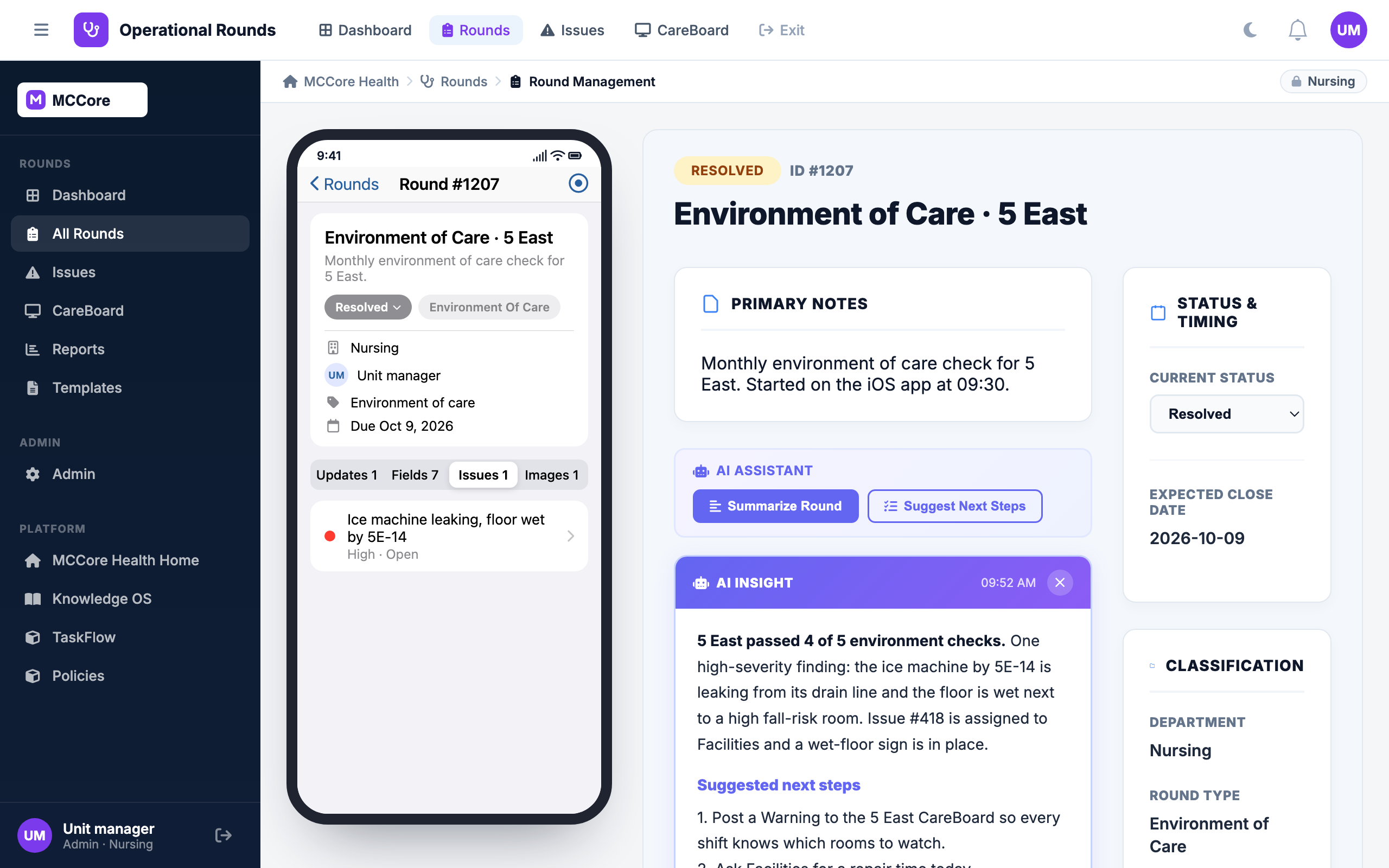
Rounding that ends in a fix. Leaders round from a phone against templates you design, problems become issues with an owner, a severity and a photo, the unit's CareBoard tells every shift what to watch for, and leadership sees how fast each unit closes the loop.
- Round templates with your own questions, built without IT
- Issues with severity, owner, photos and a communication thread
- CareBoard posts by unit, department or system, with required acknowledgment on Critical posts
- AI round summaries, issue analysis and draft resolutions
Low, Medium, High and Critical, with status from Open to In progress, Resolved and Closed.
Post to one unit, a department or the whole system, as Critical, Warning or Info.
Issues that sit without an update are raised a severity level automatically, so nothing quietly ages out.
Round, take photos, log issues and post updates from the floor.
Design the round
Build a template for each round type, such as environment of care, leader rounding or safety, with your own questions and field types.
Round from anywhere
Leaders round from a phone or a desktop, answer the template, take photos where they stand, and turn any finding into an issue with an owner and a severity.
Close the loop
Owners work issues in a thread with updates and photos. The CareBoard tells the unit what to watch for, and reports show how fast each unit resolves what it finds.
Templates without IT
Custom fields per round type, limited to the units and departments where they apply, so every round asks the right questions.
Issues with an owner
Severity, assignee, department, category and photos, linked to the round that found it. Owners are notified on web and phone.
Communication threads
Updates and photos post to a timeline on the round or issue, so the context stays attached instead of lost in chat.
CareBoard
Unit, department and system posts with Critical, Warning and Info priority. Staff acknowledge Critical posts, and posts from staff wait for a leader to approve them.
AI assistant
Summarize a round, analyze an issue, suggest a severity or draft a resolution, plus an AI snapshot on the CareBoard. Each is behind a switch you control.
Reports and Impact Simulator
Resolution Velocity shows how fast issues close. The Impact Simulator shows what faster resolution would do to the backlog.
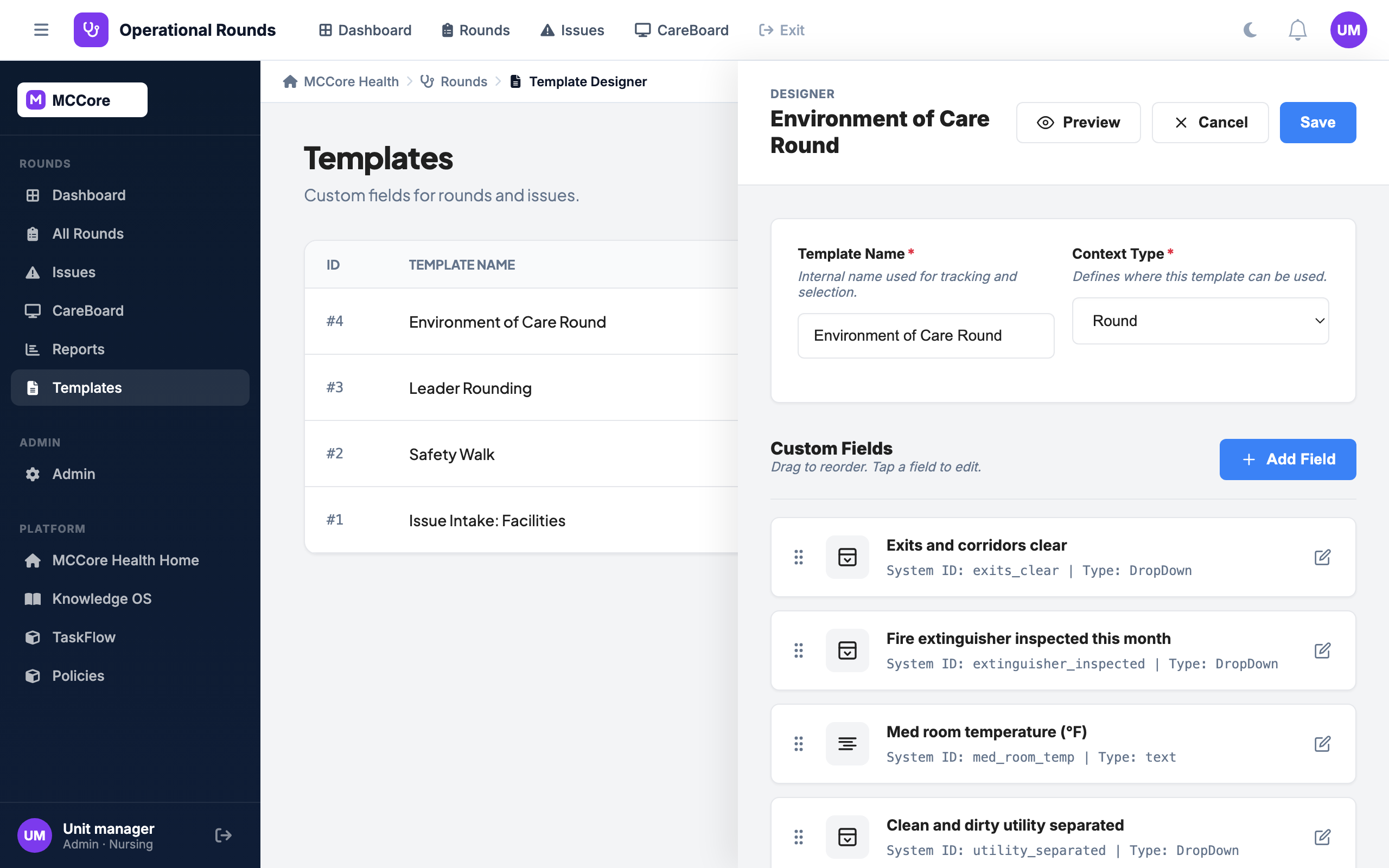
Every round type is a template
Environment of care, leader rounding, safety, executive. Each template defines its own questions and field types, and which ones must be answered before the round is done.
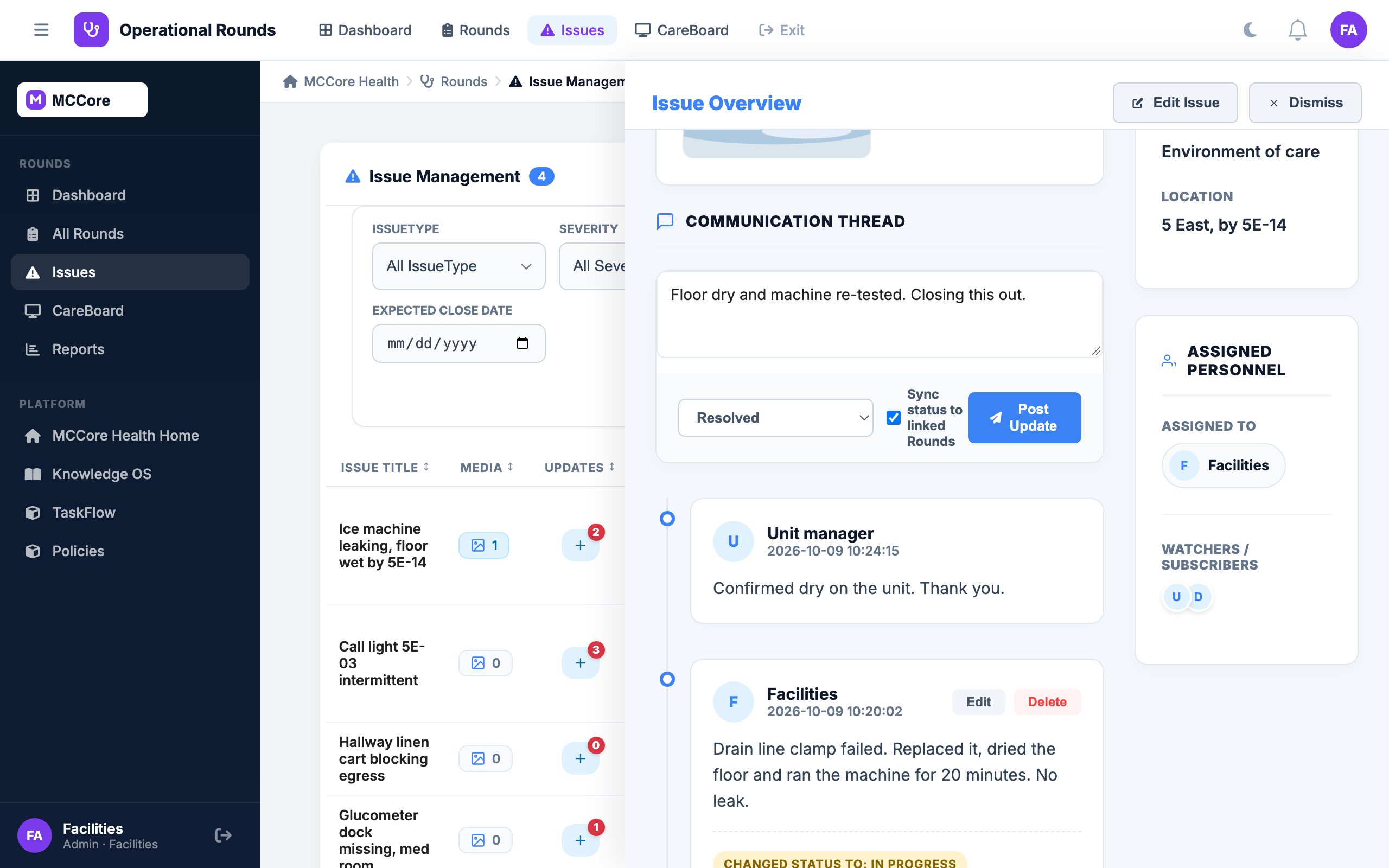
The finding has an owner within a minute
The leaking ice machine becomes a High issue assigned to Facilities, with the photo attached. Facilities posts the fix in the thread and the manager confirms it. Resolved in under an hour, on the record.
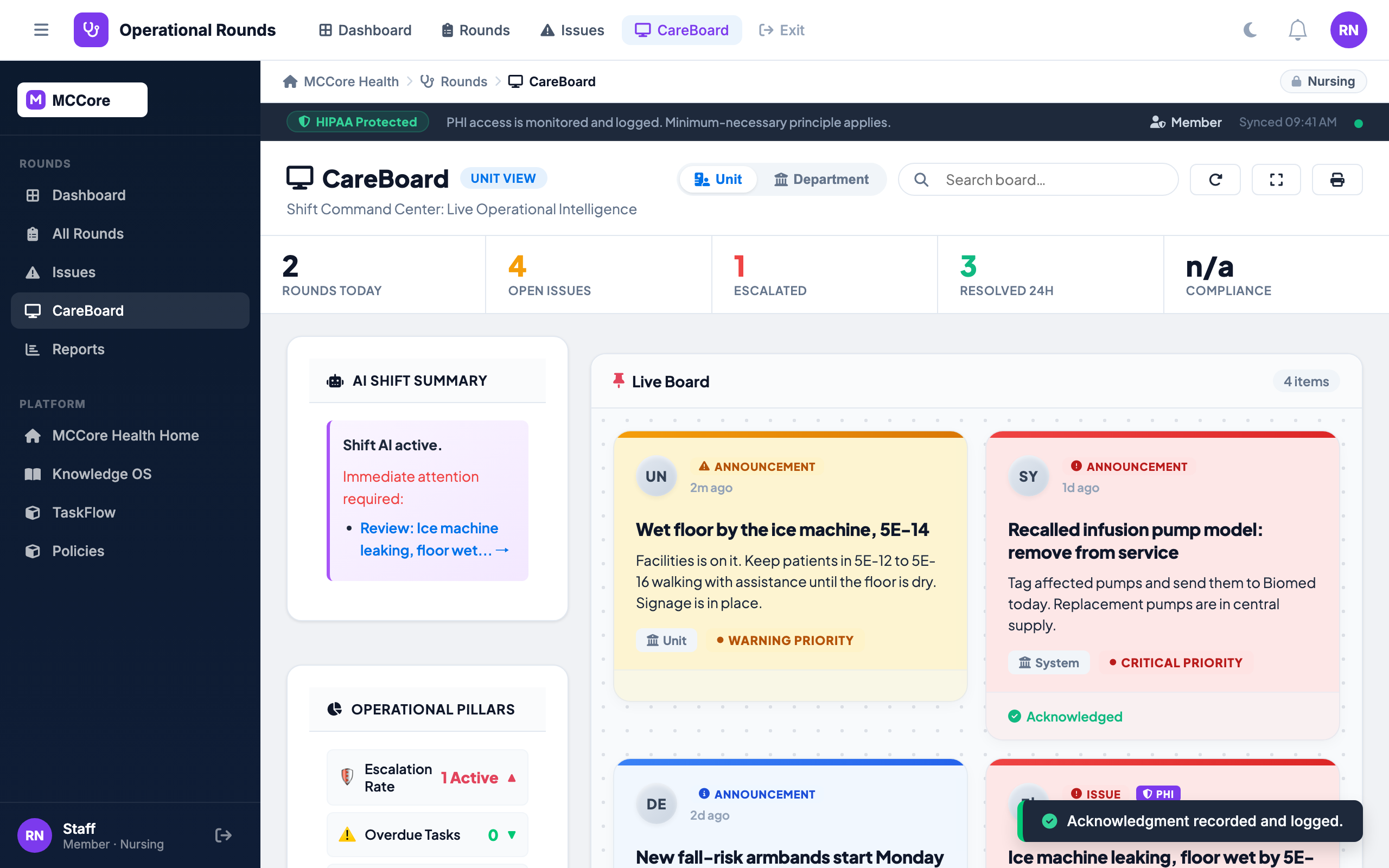
Every shift knows what to watch for
The manager posts a Warning to the 5 East CareBoard, a director approves it, and it goes live for every shift. Critical posts also ask each person to acknowledge them, and each acknowledgment is recorded.
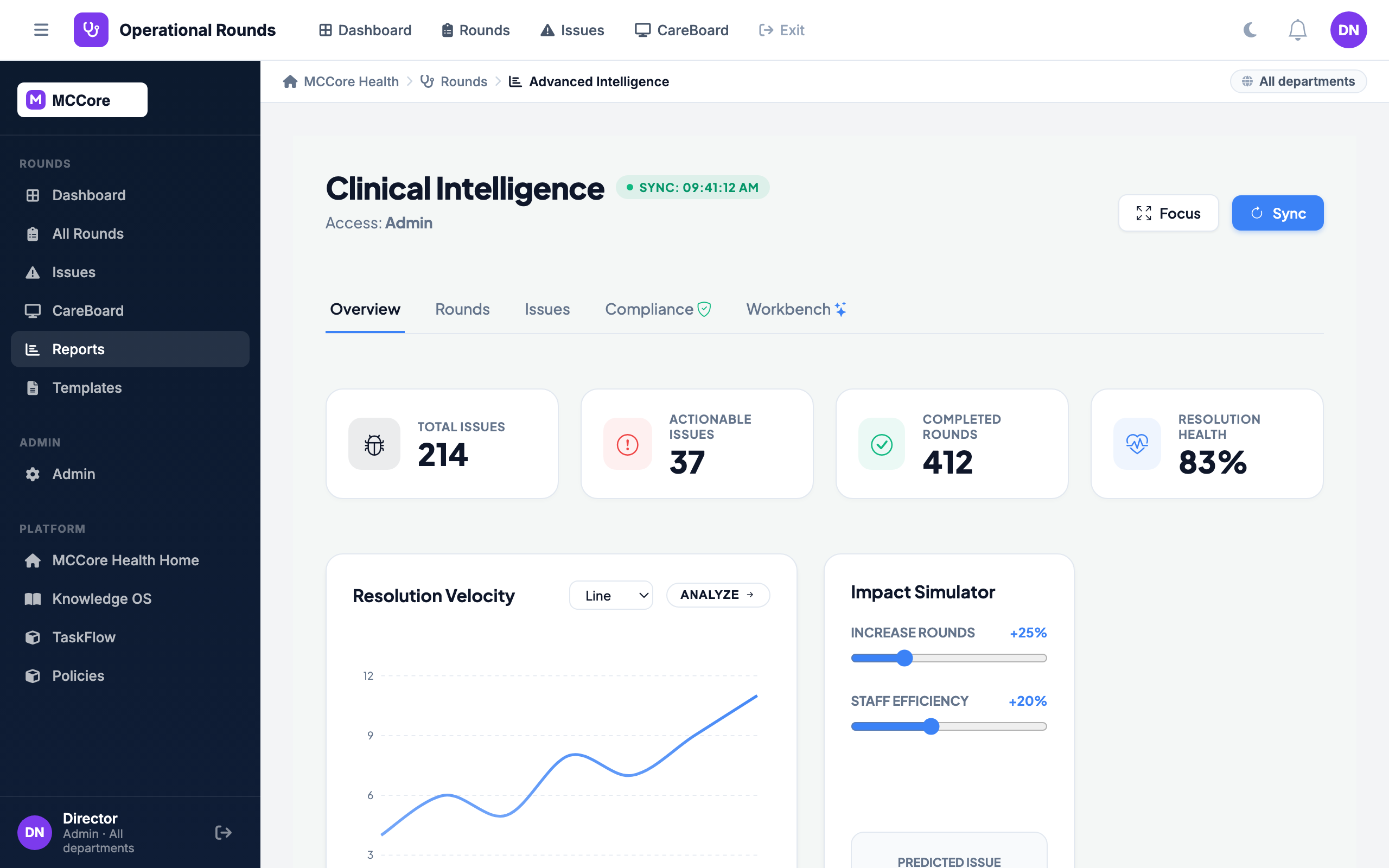
Every unit at a glance
Resolution velocity, open issues by unit and severity, rounds completed, and an Impact Simulator that shows what faster resolution would do to the backlog.
Questions
How is a round different from a form?
A round is a live session: it has a thread of updates, can spawn issues with owners, and feeds the CareBoard and reports. A form collects a submission and routes it.
Can we customize what gets checked on a round?
Yes. Templates define the questions and field types for each round type, and where each template can be used.
What is the CareBoard?
A board for each unit, department and the whole system that shows what staff need to know right now. Posts carry a priority, Critical posts must be acknowledged, and posts from staff wait for a leader to approve them.
What does the AI do?
It summarizes a round and suggests next steps, analyzes issues, suggests severity, drafts resolutions and writes an AI snapshot for the CareBoard. It is a per-organization switch, under one AI master switch for the organization.
Does it work on phones?
Yes. Native iOS and Android apps let leaders round, take photos, log issues and post updates, with push notifications.
Walk through it before you talk to us
Follow one environment-of-care round from a phone on 5 East to a resolved issue and a CareBoard post every shift can see. Then we will build your first template with you.